Skip to content
ATRIUM
FeaturesPlanAtrium + BondDocsRoadmap
فارسیDownload
ATRIUM

Design software for interiors, furniture and cabinetry. Design with real products, real prices - connected to Bond.

Product

  • Features
  • Plan
  • Atrium + Bond
  • Roadmap
  • Download
  • Changelog
  • Media kit

Docs

  • Getting started
  • The interface
  • Drawing & input
  • Assemblies
  • Shortcuts

Bond

  • bonddh.ir
  • Sign in to Bond
  • What is Bond?
  • Rhino plugin
© 2026 Atrium Software · part of the Bond familyDesign it. Price it. Build it.
Plan

Start from the room you are designing for

Draw each floor or unit as it is - walls, rooms, openings and fittings - on top of the client's DXF, with the same keys you use everywhere in Atrium. The plan lives in the project on Bond, so the web app and the Rhino plugin open the very same drawing.

Today: plan editorComing soon: parametric building elementsDesigned: furnishing the plan
Living15.1 m²
ATRIUM
Door · Width900Enter OK Esc close
›
‹
mm ▾
OrthoF8
Door · size
Width900✓
900
Door and column
Plan: walls, rooms and doorsTrace walls over the client's DXF with clicks and typed lengths (F8 ortho, Tab flips the side, ↓ runs parallel to the wall under the mouse); select them and press Enter for a room. A door drops into a wall and a column squares up to a nearby wall.
In Atrium today

A complete survey of the space

Walls and partitions

Click and type lengths; F8 for Ortho, Tab flips the wall to the other side of the line, ↓ locks parallel to the wall under the mouse. Walls join, and moving one side keeps its neighbours' directions.

Rooms

Click inside a space or pick its walls and press Enter. Rooms are found from the wall faces; divider lines split open spaces. Areas and wall lengths add up in the plan properties.

Doors, windows and fittings

Doors (single, double, one-and-a-half), windows with sill and head heights, switches and sockets, split AC, radiators, existing wardrobes, baseboards, ceiling lights and vents, ceiling drops, floor drains - they sit on the wall and move with it.

Columns, stairs, elevators

Free walls, columns, stairs and elevators square up to the nearest wall and stick to it; tables, plants, text and measurements complete the drawing.

DXF in and out

Lay the client's DXF faintly under the plan and snap to its corners (save DWG as DXF first). Export a layered DXF in millimetres - walls, named rooms, doors, windows and sizes - for contractors.

Floor, unit, zone

Each survey belongs to a project and knows its floor, unit and zone, ceiling height and wall, floor and ceiling materials - one plan per floor or unit, by design.
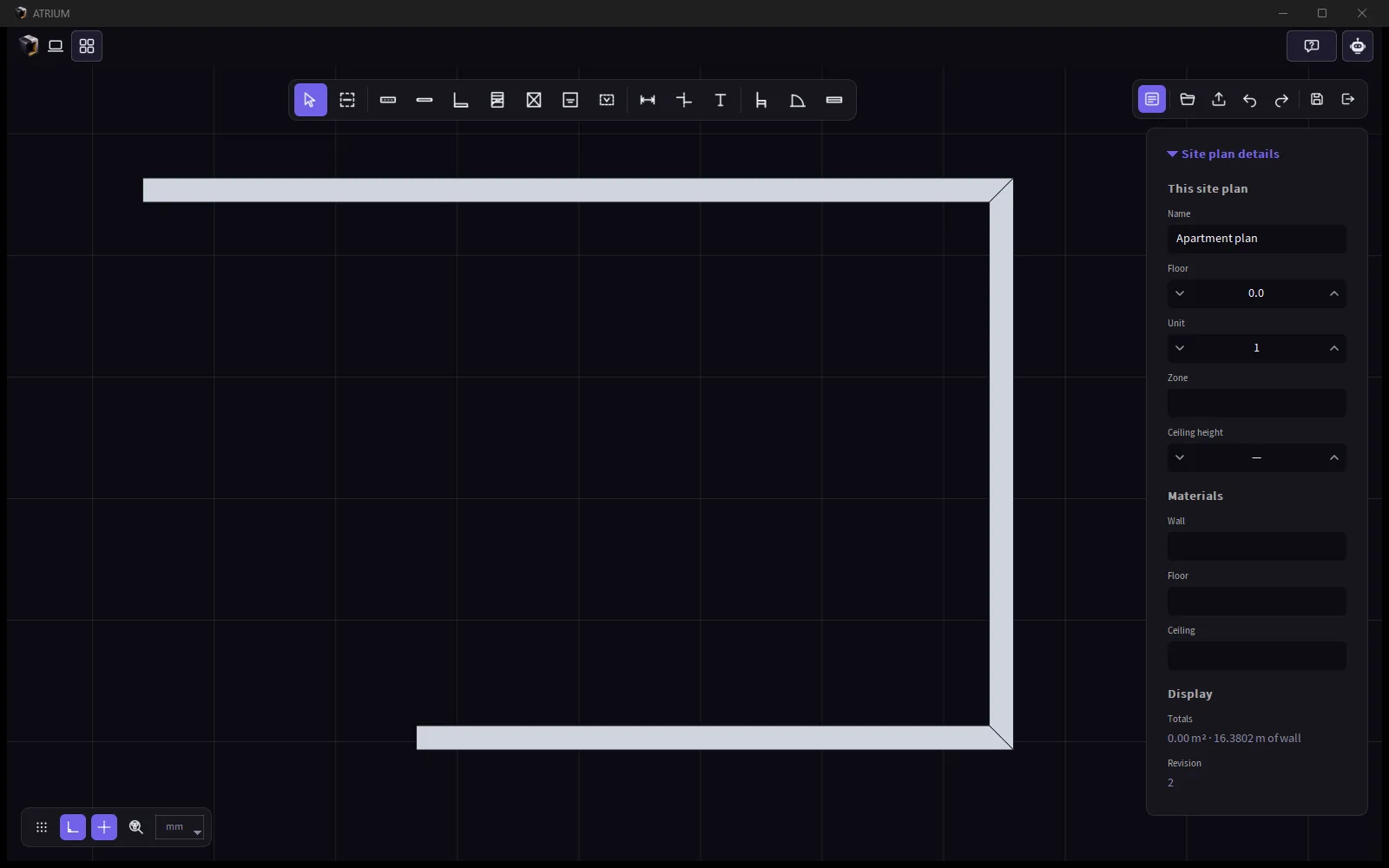
Atrium's plan editor with the site plan details panel
A real capture: walls in the plan editor, with the site plan details - floor, unit, zone, ceiling height, materials and totals.
One plan, everywhere

Desktop and web stay identical

The plan is one document in the project. Draw it on site in the Bond web app - with a 3D view and a Leica DISTO laser meter, or try the AR room scan on a phone (beta) - and refine it in Atrium; or the other way round. Desktop/web parity is a rule: what one can draw, the other can open.

The 3D view, DISTO input and the AR scan are features of the Bond web app.
plan.jsonAtriumdesktopBondweb · 3D · DISTORhino plugindownload the plan
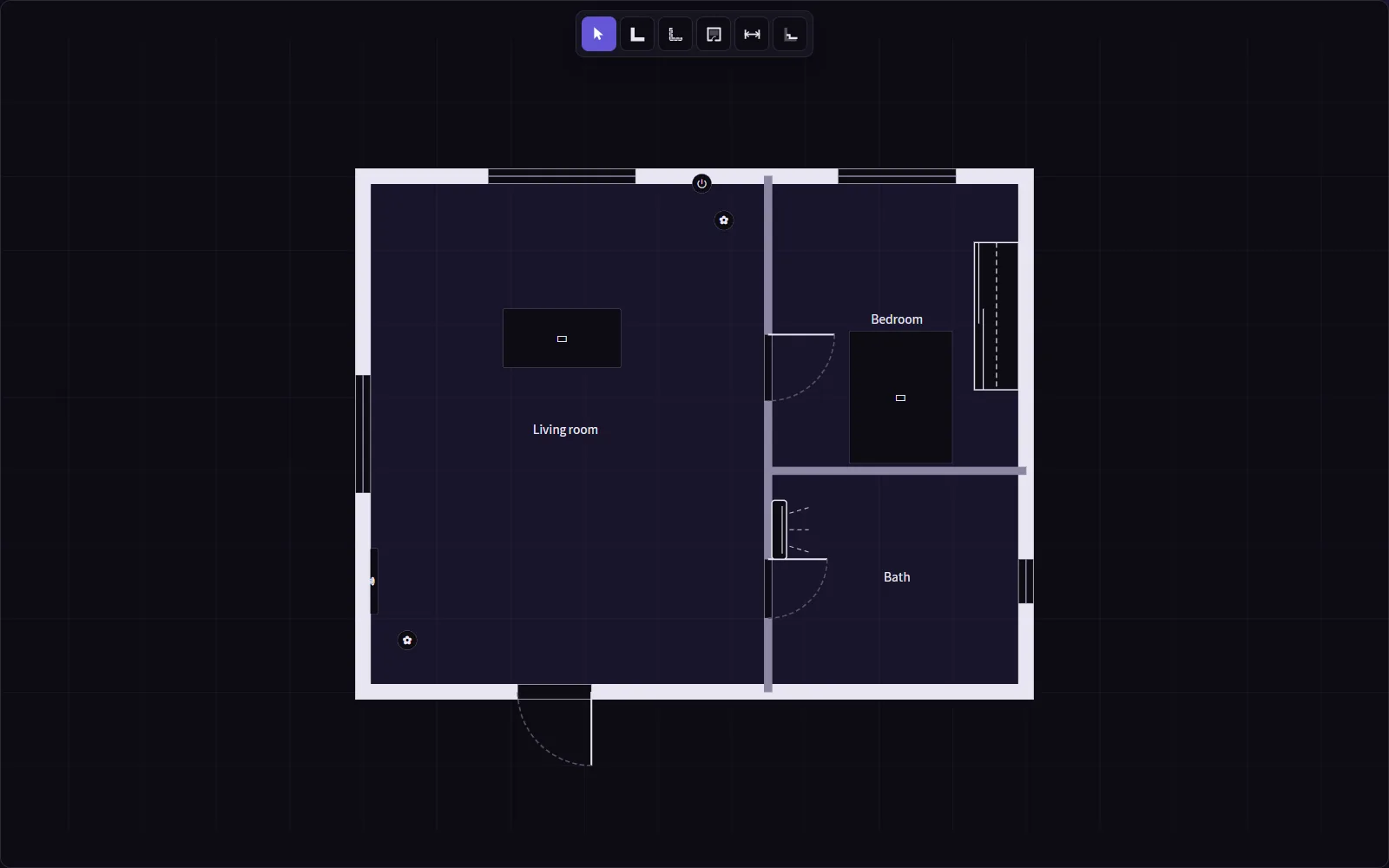
The Bond web plan editor with a small furnished flat
On Bond: a small flat - walls and partitions, named rooms, doors, windows, a wardrobe and furniture.
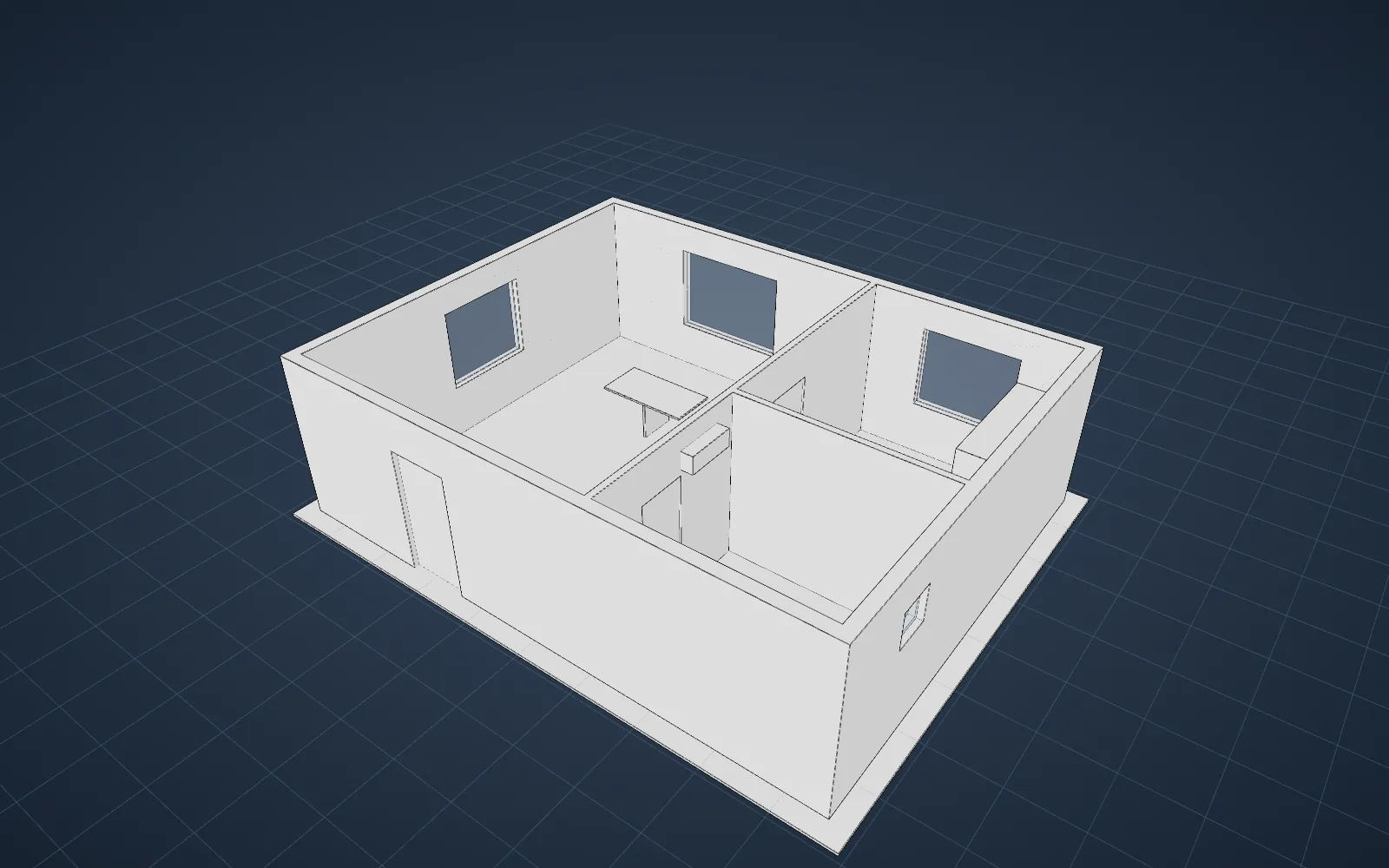
The same plan in 3D on Bond
The same plan in 3D, straight from the drawing - wall heights and openings.
Where the plan is going

From a drawing of the room to the room, built

The goal: every element on the plan is a real Atrium part or assembly, so the plan itself has a bill of materials and a price. Here is what is designed and what comes first.

Coming soon

Building elements as real Atrium parts

Walls become layered 1D parts - the layers live in the cross-section. Doors and windows become dynamic assemblies you size with grips or by typing, with adjacency rules for what sits next to what.

Coming soon

From a hand sketch to a plan, with AI

Photograph a hand-drawn sketch of the space; AI turns it into walls, openings and rooms you can edit.

Coming soon

AI-assisted furnishing

Suggested layouts for the space, furnished with your own and your catalog's products - yours to accept, change or ignore.

Designed

Furnish the plan from the library

A library panel beside the plan: drag cabinets, wardrobes and desks onto it, change their options in place, and get the bill of materials of the whole plan.

Designed

From an outline to an assembly

Pick a closed outline on the plan and add an assembly: the outline becomes its first part while the rest of the plan stays faint around it - for built-ins and partitions that are locked to the plan.

Designed

The plan in 3D, with everything in it

The furnished plan in 3D in both Atrium and Bond, so the client walks through the real products before ordering.

900Wall · cross-sectionPlaster 15Brick 200Insulation 50Plaster 15Door · dynamic assemblyWidth ↔ grips or typedCuts the wall layersFrame, leaf, hardware = BOM

Concept illustration of the coming building elements - not a screenshot.

How to draw a planThe full roadmap