
Everything you need to design what gets built
From a single part to a whole office floor: parts, assemblies, processes and plans in one Windows app - partitions, desks, counters, shelving and cabinets alike - connected to Bond for the library, projects and prices. Each section shows how it really works.
Change the width. Everything follows.

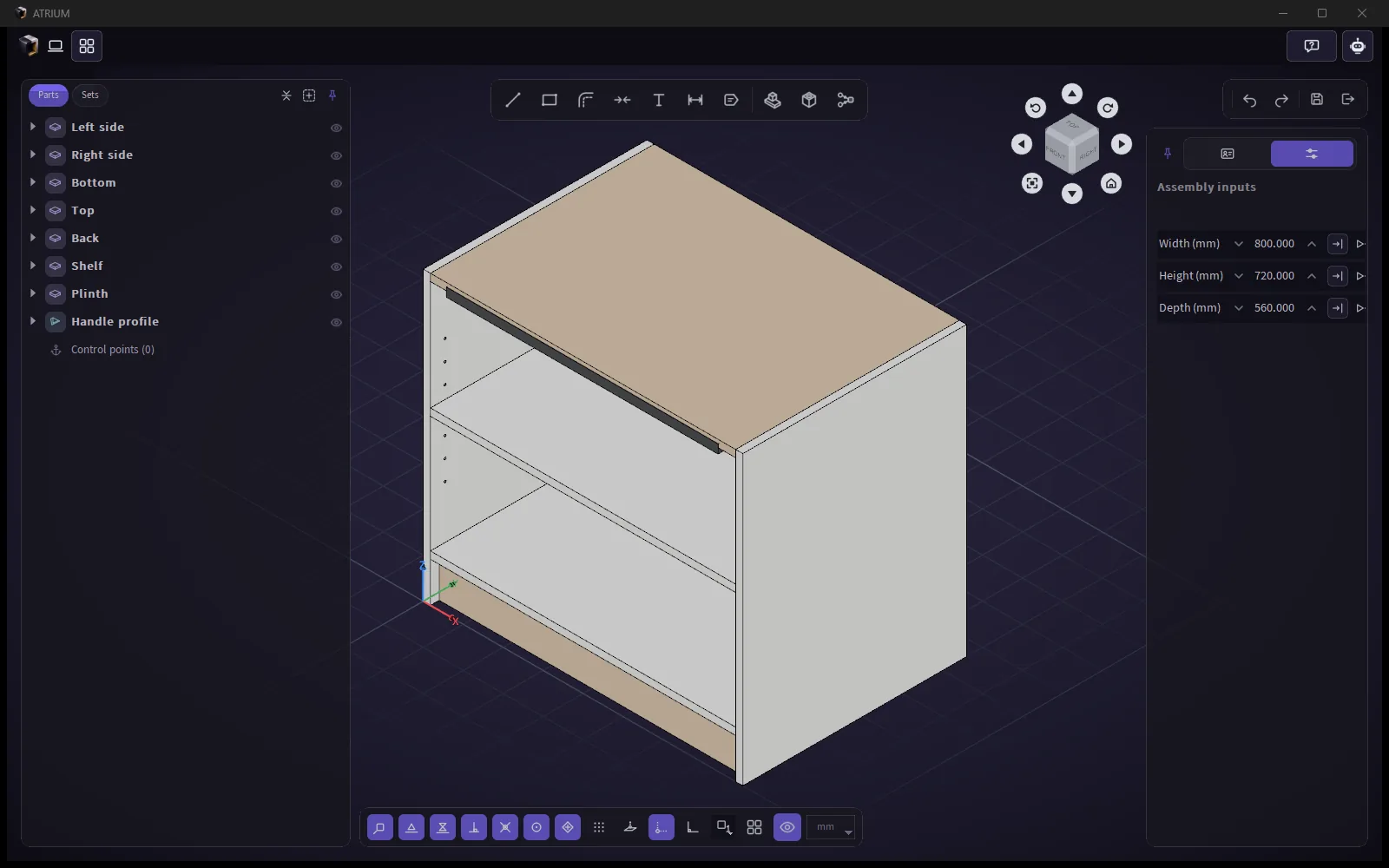
Recorded in Atrium: the Width input goes from 800 to 1200 and back. Every board, edge band, shelf-pin hole and the handle follow their formulas.
Compose anything, then make it dynamic
In the assembly editor you arrange parts and sub-assemblies freely - boards of any outline, profiles along any path, sculpted parts from Rhino - and build pieces that look nothing like a box. Then a few inputs and formulas make it a product that builds correctly at any size.
Free composition
Place parts and sub-assemblies anywhere, nest them freely, and add the part that's missing - from the Bond library, from Rhino or STEP, or drawn on the spot.
Inputs of seven kinds
Length, whole number, yes/no, list, text, material and part - each with its own control and min/max limits.
Spreadsheet-style formulas
25 functions (IF, MIN, MAX, ROUND, CEILING, CHOOSE…), names in the formula and IDs underneath - renaming never breaks a formula; circular references are caught.
Nested sub-assemblies
Use one cabinet many times with different widths and materials; per-instance inputs, input grips you drag in the parent, and a true mirror (a left cabinet becomes a right one).
Live arrays
Linear, grid or along a path. A count or spacing given by a formula keeps the array live - shelves follow the height.
Groups, sets and isolate
Groups like SketchUp (Ctrl+G, double-click to enter), sets that move several things by one rule, and isolate with a lock.
Bill-of-materials data
Counts (copies and arrays included), profile lengths and board areas are worked out on every save and sent to Bond, where the BOM and price are shown.
- Read the docs
Draw with the keyboard, not just the mouse
One drawing core everywhere - assembly, 0D part, cross-section, tool profile and plan. Type a length, an angle, a coordinate or a sum with units, and the point lands exactly there.
Typed input
400 Enter, 400<30, <30, x,y, @dx,dy, length,width - plus maths and units in any number box: 1200-750, 1m+20cm, «۱۲ سانت».
Ten snaps and SmartTrack
End, mid, centre, quadrant, intersection, perpendicular, tangent, on edge, control point and grid - with tracking lines and six one-off snaps.
Direction locks
Arrow keys lock X, Y, Z or parallel to an edge; tap Shift to cycle; hold Ctrl to move only up and down.
Familiar tools
Line, arcs, spline with handles, shapes, offset with capped ends, Rhino-like trim, join, dimensions, text with every Windows font, labels and callouts.
- Read the docs
Boards that know their edges
Draw a board in any shape and the edge band you last used for that thickness goes on by itself. Switch each edge on or off, pick its profile, round or chamfer it - and see it on the model.
Thickness variants
One board, many thicknesses - each with its own code, weight and price; thickness side top, centre or bottom.
Per-edge switches
A switch on every edge, a card per band (square, top, bottom, both; radius; for all edges), inner or outer, remove all in one click.
Side arrows
Drag the arrow in the middle of a side: only that side moves, snaps included; works on any straight-sided shape.
Bands that bend
Bands follow arcs and splines; rounding a corner carries the band around it.
- Read the docs
Holes, grooves and pockets where they will be cut
Processes live on the parts, so what you design is what the workshop makes. The drill follows the mouse and stands square to any face; framed numbers set the distance to the edges.
Drill, groove, pocket, chamfer, round
Grooves and pockets are drawn with the same tools as parts; cuts run cleanly past the edge; edge bands get cut too.
Carried processes
A hinge's screw holes cut only the board under it and move with the hinge - even inside a sub-assembly.
Price and time per process
The company sets the price, time and unit of each process type; they feed the product price.
CNC export and nesting Coming soon
Machine files (G-code) from the same processes and tools, and cut-list optimisation on sheets.
- Read the docs
Profiles that join themselves
Draw a cross-section once, then sweep it along any path in the assembly. Where two profiles meet, Atrium cuts the joint - miter, butt or arrow with a V-groove - and one click changes it.
Cross-section editor
Lines, arcs, splines, shapes, offset, trim and dimensions; hollow sections stay hollow.
Closed frames in one go
Click round a door opening and close the path - all four corners are mitered.
End angles and offsets
Numbers or formulas; the BOM length includes them.
- Read the docs
Bring geometry in - exactly
Copy in Rhino, paste in Atrium: solids and surfaces arrive as exact NURBS, not meshes, in millimetres, with blocks in place. STEP and IGES files drop straight onto any editor.
Ctrl+C in Rhino, Ctrl+V in Atrium
Units converted (cm, m, inch, foot → mm); one undo removes the whole paste.
Send to Atrium
A button in the Bond Rhino plugin sends the selection to the open Atrium editor as exact STEP; the object's name becomes the part's name.
STEP / IGES / DXF
Import STEP and IGES; DXF as a plan underlay; export plans to layered DXF.
- Read the docs
Real colours, real prices, real light
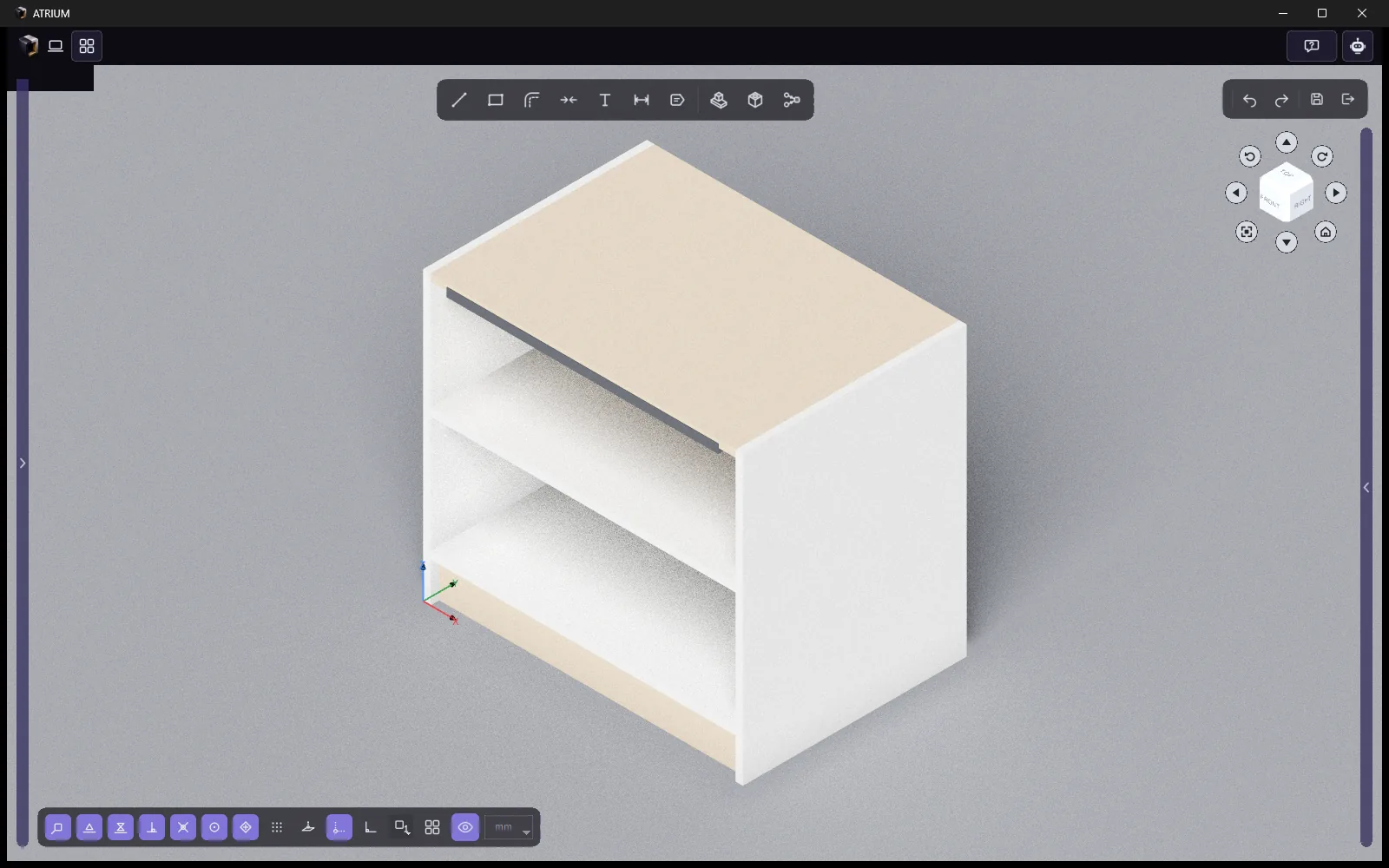
PBR materials with colour and texture variants that carry their own price, previewed under HDRI light. Presentation shading path-traces the viewport for soft shadows - free, right inside Atrium.
Three render levels
Basic (colour, transparency), medium (+ metallic, roughness), advanced (+ IOR for glass).
Material inputs
"Apply to" matches parts by category and design material - a rule that new parts follow too.
ViewCube and smart orbit
Orbit round what is under the mouse, never jump to the origin; faces for 2D views, edges and corners for 3D.
AI rendering Coming soon
Photoreal images for clients from the design itself. Today it comes from the Bond Rhino plugin.
- Read the docs
An assistant that works in your document
Ask in plain words. The assistant uses the same commands as the interface, within your permissions, shows its plan before multi-step work, and every change can be undone. It runs through Bond, signed in with your company account.
Builds and edits
Places and moves parts, sets materials, inputs and formulas, groups and arrays; creates complete materials, boards and 1D parts.
Checks your design
Overlapping or floating parts, sizes out of range, broken formulas, exact duplicates.
Knows your company
Searches the company's catalog and projects, researches the web with sources, and remembers habits and company rules.
- Read the docs
And the details that make it pleasant
Persian and English
Full Persian UI, Persian digits in every number box, shortcuts that work on a Persian keyboard, bilingual item names.
Five themes
Bond violet dark, Navy, Graphite, Light and Gorky Park - or follow Windows.
One undo for everything
Every command is one step - multi-copies, the assistant's edits, a whole paste. Esc mid-drag puts everything back.
Hint line
A quiet line under the toolbar tells you the next step and the keys that work right now.
Recovery
Assemblies keep a recovery file; after a crash Atrium offers to restore your work.
Support built in
Send a Bond ticket with a screenshot from any tab; friendly error dialogs with "Report to Bond".